Agent builder · Free guides from Ben Legg
Build your own AI agents
I build a lot of AI agents: for my family, for my work, and sometimes just for the fun of it. Here is everything I have learnt about building them, plus step-by-step guides to the ones worth copying. All free. I build mine on Claude, but the skills carry over to any AI assistant.

I'm Ben Legg. Former COO of Google Europe and 3 x tech CEO, now running Digital People, where I help CEOs, boards and investors become AI-first. I run agent-building workshops for leadership teams, and I have built more than 60 agents for my own business. More about me →
Why agents
From AI that answers to AI that acts
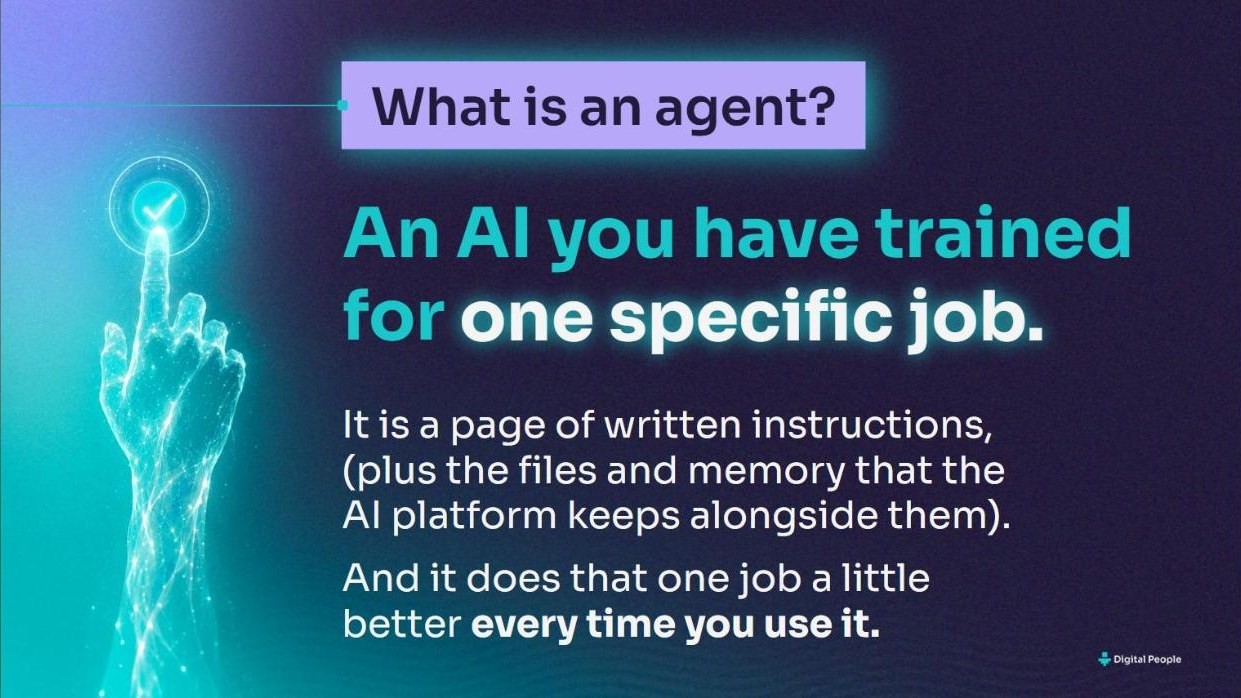
Most people use AI like a clever search box: you ask, it answers, and tomorrow it has forgotten you. An agent is AI you have trained to do a real job, the same way every time, and often before you ask.
Passive
A chat assistant
- Waits for you to ask
- Starts from scratch every time
- Gives you an answer
- Leaves the work to you
Proactive
An agent
- Runs on a schedule, or when something arrives
- Remembers your rules, your voice and your history
- Does the job: researches, sorts, drafts, checks
- Brings you only what needs your judgement
That is the shift: from passive to proactive. AI stops being something you visit and starts supporting your work and your life, while you stay in charge of what matters.
Inside my AI stack
What will your AI stack look like?
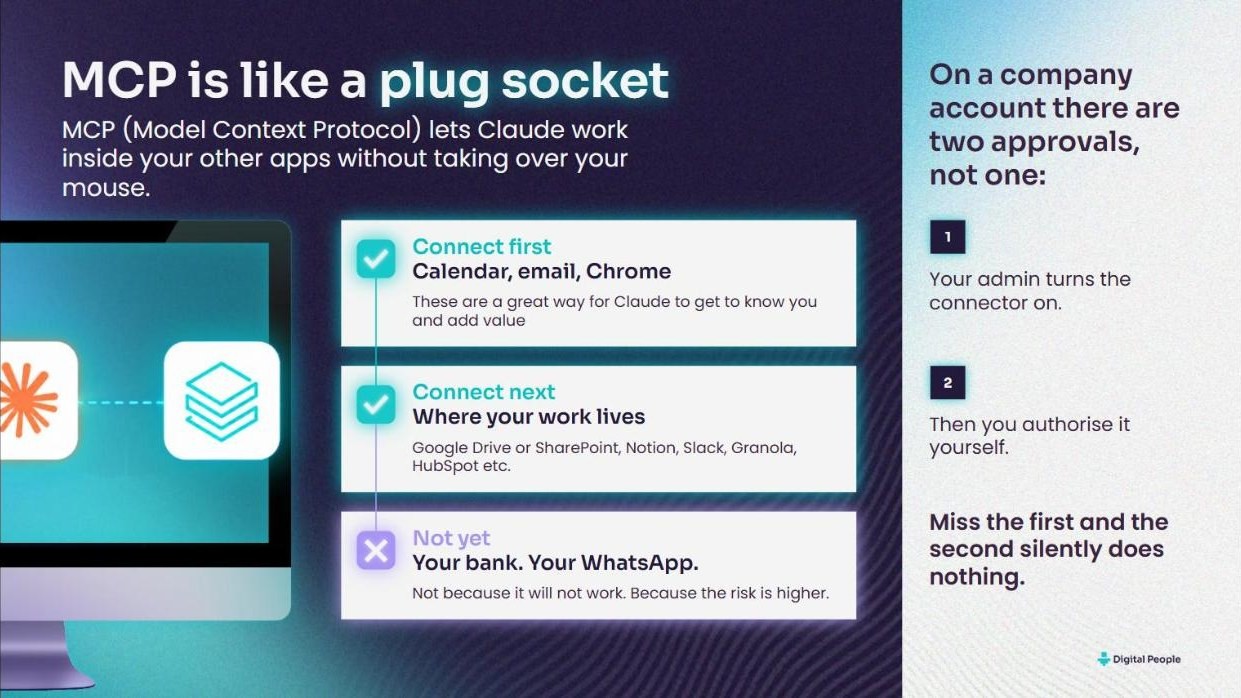
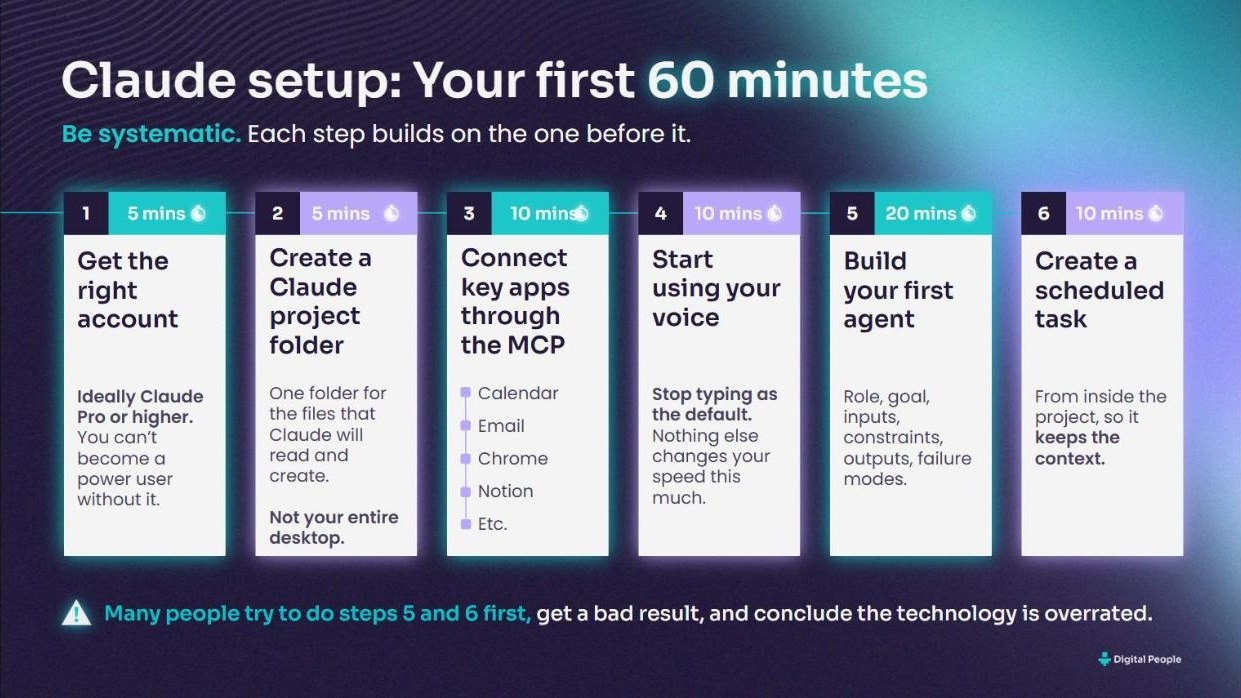
6 slides from the workshops I run: what an agent is, how mine fit together, and how to get yours going. Scroll through, and tap any slide to see it full size.



Start here
The practical guide
Everything I teach about building and working with AI agents, in one guide. It is what I send people after a workshop.

How to build and work with AI agents
21 pages. Read it in 20 minutes, build from it for a year.
- The six-part agent prompt, with worked examples
- Your first 60 minutes of setup, in order
- Where an agent should live, and when to schedule it
- Connecting your email, calendar and files safely
- Picking the right model, and keeping costs down
- Quality checks: how to know your agent is any good
- Making your whole company agentic
Written around Claude, as of September 2026. The principles work with any AI assistant.
Useful agents worth building
Pick an agent and build it
New guides are added as each agent proves itself in real life.
Work
An email agent that writes like you
Clears the noise, drafts replies in your voice, and learns every night from what you change.
Read the guide →Family
A daily news show for your children
An 8-minute narrated video of the real news at their level, in your inbox by 7am, with a Saturday quiz.
Read the guide →No. 3 · Coming soon
Calendar management
Next in the series: an agent that looks after your diary. Got an agent you'd love to see here?
Suggest one ↓How every guide works
Same shape, every time
Read it in 5 minutes. Build it in an afternoon at most.
What you need
The tools and plans, and which features to check your AI assistant has.
Versions
A simple version to start with, and a fully automatic one for later.
Steps and ingredients
Numbered steps, plus the ingredients that make the agent great.
The prompts
Copy-and-paste prompts with a one-tap copy button that works on a phone.
Questions
Before you start
Where should I start?
With the practical guide above, then guide No. 1, the email agent. It pays back in the first week, and it teaches you the pattern every other agent follows.
Which AI should I use?
I'm Claude-centric: it is what I use every day, and the guides are written around it. The skills carry over. A clear brief, the right connections, a schedule and a human check work just as well in ChatGPT, Gemini or Copilot. What matters is that your assistant can connect to your tools and run tasks on a schedule.
Do I need to code?
No. Everything here is plain English: you paste a prompt, answer some questions and switch on a scheduled task. If you can write a clear email, you can build an agent.
What does it cost?
Usually just a paid plan for your AI assistant, because connectors and scheduled tasks are rarely in the free tiers. No extra software. Check the current plans with your provider.
Is it safe to use with work data?
Start with your company's AI policy, and expect IT to approve the connectors on a work account. Then build trust in steps: read before write, draft before send. Nothing should send, pay, delete or publish without you until it has earned it. The practical guide has a section on connecting your email, calendar and files safely.
How long until it's any good?
The first run is useful. A few weeks of your corrections make it good, because every agent here learns from what you change.
Can you help my team build agents?
Yes. I run hands-on agent-building workshops for leadership teams. Tell me what you have in mind using the form below.

Over to you
Share an agent, or ask for one
Built an agent other people would love? Want help with one that isn't here yet? Tell me about it. I read every message.
benlegg@digitalpeople.online
Insights and advisory services from battlefield-tested operator and ex-COO of Google Europe, Ben Legg.

© 2026 Digital People. All rights reserved.